

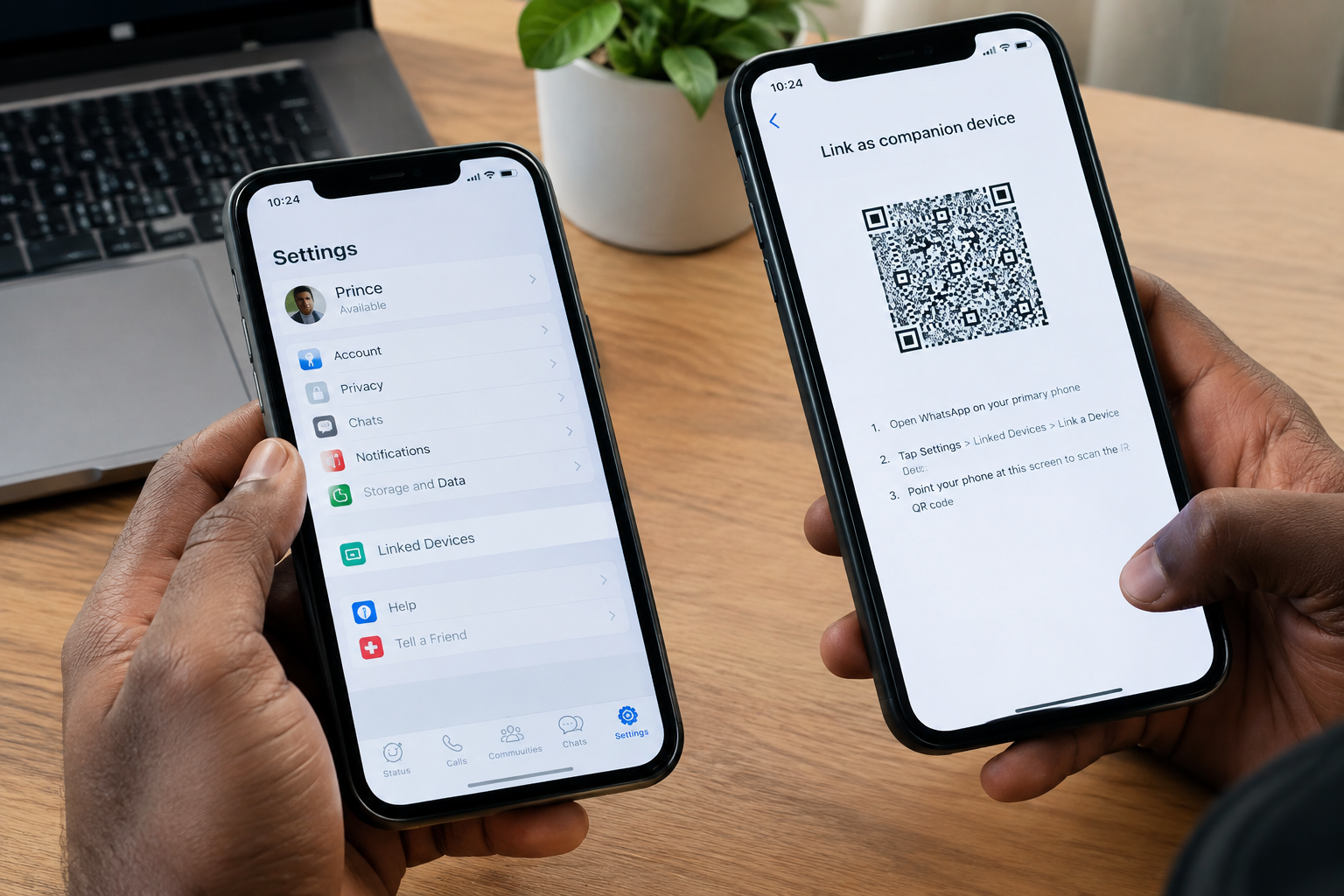
WhatsApp has made it easier to use the same account on more than one phone. If you have two phones and do not want to create a separate WhatsApp account for each one, you can link your second phone to your main WhatsApp account.
The process is simple and does not require you to get a second SIM card or register a new WhatsApp account.
How Does It Work?
WhatsApp allows you to link additional devices to your main account through its Linked Devices feature. Your primary phone remains the main device, while the second phone works as a companion device.
Once the phones are linked, you can send and receive messages, make calls, and access your conversations from either phone.
How to Set It Up
First, download and install WhatsApp on the second phone.
When WhatsApp asks you to enter a phone number, do not enter your number. Instead, look for the three-dot menu in the top-right corner and select “Link as companion device.”
A QR code will then appear on the screen.
Now take your main phone and open WhatsApp. Go to:
Settings → Linked Devices → Link a Device
Your phone may ask you to verify your identity using your fingerprint, Face ID, or passcode. After that, use the main phone to scan the QR code displayed on your second phone.
Once the QR code is successfully scanned, WhatsApp will link the two phones.
What Happens After Linking?
Your WhatsApp account will now be available on both phones. You can use either phone to chat with your contacts without having to register the account again.
Your messages and other account information will be synchronized across the linked devices.
This can be especially useful if you have a personal phone and a second phone that you use for work, travel, or other purposes.
Do You Need Your Main Phone All the Time?
No. After the second phone has been linked, you can use WhatsApp on it without keeping the main phone constantly connected to the internet.
However, it is still important to regularly use your main phone. WhatsApp may log out linked devices if the primary device remains inactive for an extended period.
Can You Link More Devices?
Yes. WhatsApp supports using your account across multiple linked devices, including phones and computers. This means you can have your WhatsApp account available on your main phone, a second phone, and devices such as WhatsApp Web or the desktop application.
Is It Safe?
Linking a second phone through WhatsApp’s official Linked Devices feature is much safer than using unofficial WhatsApp applications or modified versions of the app.
However, you should only link devices that you trust. If someone else gets access to your phone and links their device to your WhatsApp account, they may be able to access your conversations.
It is therefore a good idea to check Settings → Linked Devices from time to time. If you see a device you do not recognize, you can log it out immediately.
Final Thoughts
Using one WhatsApp account on two phones is a convenient option for people who regularly switch between devices. The setup only takes a few minutes, and you do not need a second phone number.
The most important thing is to use WhatsApp’s official Linked Devices option rather than registering the same number as a new account on the second phone.